 |
||||||||
 |
 |
|||||||
Halloween witch 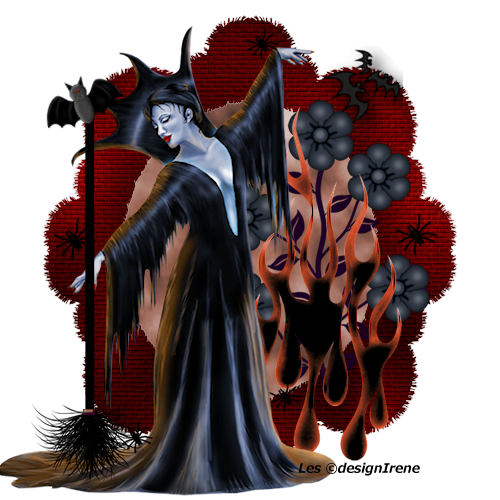 1 Open all the materials in PSP. 2 Activate the ©DI_ST_TT _ frame 10bgothic 2012. 3 Copy the DI_achtergrond, paste as a new layer. 4 Layers, arrange move down. 5 Activate raster 1. 6 Copy the GothicQueen-TYA tube, paste as a new layer. Replace to left. 7 Copy the flames tube, paste as a new layer. 8 Layers, arrange move down. 9 Activate raster 1. 10 Copy the DI_ST_TT gothicbloem, paste as a new layer. 11 Activate raster 3. 12 Copy the DI_ST_TT bezemzwart, paste as a new layer. Move so that the broomstick nice resting on the hand. 13 Copy the vleermuis3, paste as a new layer. Replace to the top of the broomstick. 14 Copy the DI_ST_TTvleermuisjes, place as a new selection, right. 15 Copy the DI_ST_TTspinnetje1, paste as a new selection, as much as you like. 16 Selection, select none. 17 Dint forgot your signature. 18 File, save as JPG. Tutorial ©designirene 16 october 2013 |
Download zip Nederlandse versie |
|||||||
 |
 |
|||||||
|
Start |
PSP Lessons |
Terms and Conditions © 2005 - 2021 Denhutsepot.be |
||||||||