 |
||||||||
 |
 |
|||||||
Only Sadness 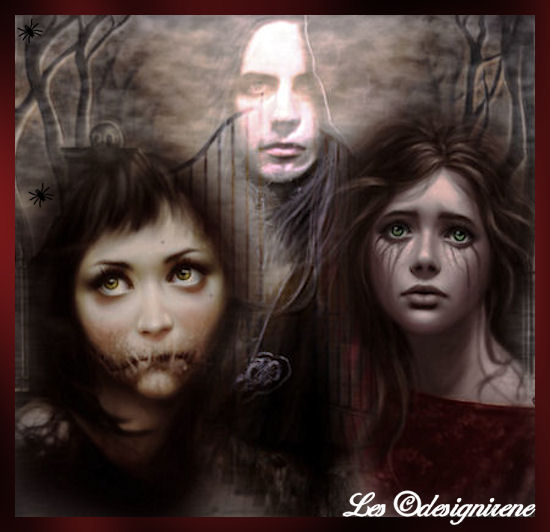 Plugin FM Tile Tools, Xero, Alien Skin Xenofe2.,Graphics Plus. My thank to Dragonblu for the tube. Settings Plugins in the zip. 1 Open all the tuben in PSP. 2 Choose a dark background, light forefront color. 3 Activate the image, Promote Background Layer. 4 Layer, new raster layer, fill with the light color. 5 Effects, Plugin Alien Skin, Little Fluffy Clouds. Screens in the zip. 6 Layers, arrange move down. 7 Activate raster 2. 8 Effects, Plugin FM Tile Tools, Blend Emboss. Layer opacity 50. 9 Copy the Dragonblu passage in time, paste as a new layer. Replace to bottom, in the middle, see image. Blend Mode, Luminance L. 10 Copy the Dragonblu man tube, paste as a new layer. Replace, above, in the middle. Blend Mode, Bleken. 11 Effects, Plugin FM Tile Tools, Blend Emboss. 12 Copy the Dragonblu 14, paste as a new layer. Replace to bottom the left corner. 14 Copy the Dragonblu36, paste as a new layer. Replace to bottom, right corner. 15 Add border 2 pixels dark color. 16 Add border 5 pixels light color. Select the border. 17 Effects, Plugin Graphics Plus, CrossShadow, standard. 18 Effects, Plugin Xero, Radiance. Settings, 23-173-26-72. 19 Effect, Plugin Xero, Softmood, setting in zip. Or click on Random. 20 Add je watermark. 21 Image resize width 500 pixels. 22 Save as JPG. |
Download zip Nederlandse versie |
|||||||
 |
 |
|||||||
|
Start |
PSP Lessons |
Terms and Conditions © 2005 - 2021 Denhutsepot.be |
||||||||