 |
||||||||
 |
 |
|||||||
Angel. 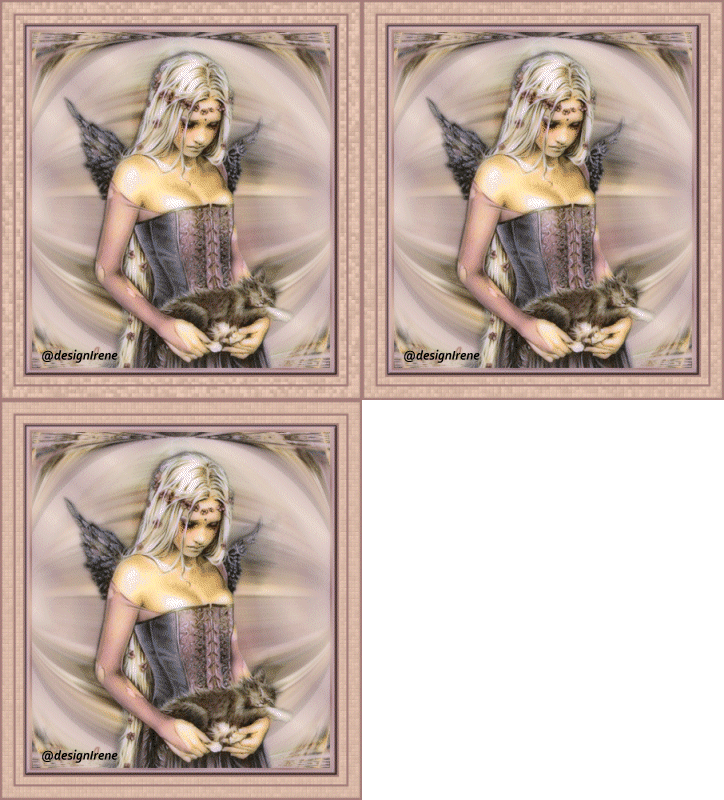 Tube of choice. Plugins: Bordermania, Xero. 1 Open the tube in PSP. 2 Choose a light forefront, dark background color. Gradient, style Linear, angle 45, repeats 10, invert no. 3 Filr, new 400 x 450 pixels. Fill with gradient. Layer opcity 60. 4 Copy the tube, paste as a new layer. 5 Effects, Distortion effects Wind, strenght 100, from left. 6 Duplicate this raster, image mirror. 7 Close raster 1, layers merge, merge down. 8 Effect, Geometric effects, Cirkel_Warp. 9 Open now raster 1. 10 Copy the tube, paste as a new layer. 11 Drop shadow, H-V -2, opacity 50, blur 3, color black. 12 Add border 3 pixels dark color. Add border 3 pixels light color. Add border 3 pixels dark color. 13 Selection, select all, selection, contract with 9 pixels, selection, invert. 14 Effects, Plugin Bordermanie, FrameII. Settings, 9-9-100-100, Notch Corners on. 15 Effects, Xero Porcelain, standard. 16 Add border 3 pixels dark color. 17 Add border 10 pixels light color. 18 Add border 3 pixels dark color. 19 Add border 15 pixels light color. 20 Add border 3 pixels dark color. 21 Add your watermerk. 22 Select the light borders, magic wand on add. 23 Duplicate this layer 2 time. 24 Copy layer 2 is activated. 25 Effects, Plugin Xero, Frittilary. Settings, Granularity 5, Aggression 30, Tessalation 10, Variation 5. 26 Copy layer 1, Effects, Plugin Xero, Frittilary, Variation now on 10. 27 Background, Effects, Plugin Xero, Frittilary, Variation now on 15. 28 Selection, select none. 29 Image resize to 450 pixels. 30 File, save as PSPanimation. 31 Open Animationshop, pickup your animation. 32 File, save as GIF. |
Nederlandse versie Version Français Deutsche version |
|||||||
 |
 |
|||||||
|
Start |
PSP Lessons |
Terms and Conditions © 2005 - 2021 Denhutsepot.be |
||||||||